Alerts & Delivery
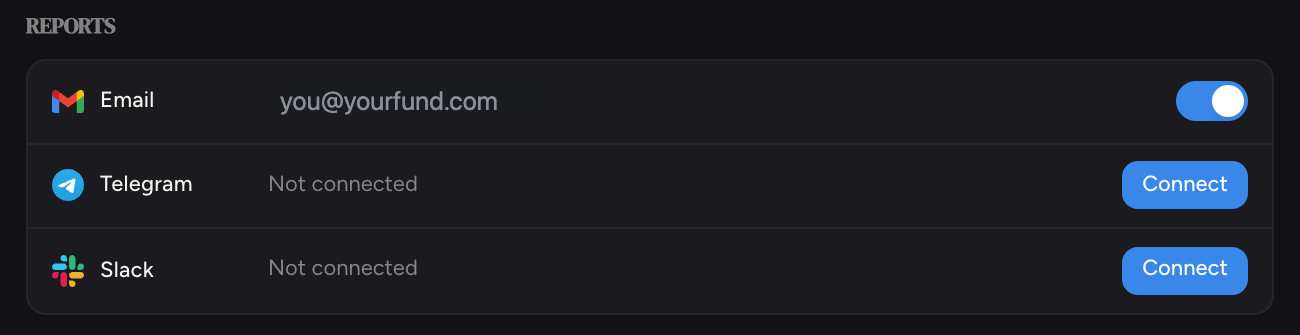
Frontrun reaches you four ways: in the app, by email, on Telegram, and in Slack. All of it lives in Settings, under the Reports section.
 Email
Email
Your daily signal report is delivered by email each morning. In Settings → Reports, the Email row shows the destination address with an on/off toggle.
 Telegram
Get alerts as chat messages.
Click Connect next to Telegram
Frontrun generates a private link to the Frontrun Telegram bot.
Open the link and press Start
The link opens Telegram (desktop or phone). Pressing Start in the bot chat links it to your account; the row flips to Connected within a few seconds.
Turn on notifications
Toggle Telegram notifications on. Use Send test message to confirm it works end to end.
Reports fan out to every chat you connect: your DM plus any group you add the bot to. Use the group option next to Connect to drop the bot into a team chat, and remove any destination later from the same row.
 Slack
Slack
Click Connect next to Slack, pick your workspace, and authorize. Signal lands in the channel you choose.
Alert timestamps are shown in US Eastern time.
Beyond delivery
To push companies into your CRM or a spreadsheet, see Connectors. To pipe raw signal into your own systems or agents, see API, MCP & Agents.